There was this time when all patient records lived just in paper charts. Folders stuffed in filing cabinets. Handwritten notes that took much longer to read than they did to write. And that quiet little worry about whether the next patient’s chart was even in the right place.
EMR systems changed all of that. Electronic Medical Records brought all patient information into a digital format. One that’s really easy to read, organized, and searchable. And for practices that have done this thing right, these systems have genuinely changed how the care there gets documented and delivered.
But here’s something that is not talked about enough. Having an EMR and actually using it well are two very different things. Globally, more than half of EMR projects fully fail before they ever reach their goal. And this is not because the technology is bad. It’s because the implementation, the training, and the daily human support behind it just were not there.
This is where virtual assistants come in to help. They are the ones who make your EMR system actually work the way it was supposed to.
What Are EMR Systems?
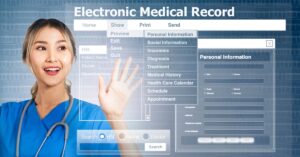
An Electronic Medical Record system is a digital platform that stores every patient’s clinical information in a fully structured and searchable format. This includes full medical history, diagnoses, medications, allergies, treatment plans, immunization records, lab results, and clinical notes. All these live in one place and are organized by patient. They are easily accessible instantly and also updated in real time.
There’s a difference between EMRs and EHRs. An EMR has all the clinical data gathered within one single healthcare organization. It’s the patient’s record at your medical practice. But an Electronic Health Record goes much further. It’s designed in a way to follow the patient across multiple providers and settings easily.
In more practical words, most practice-level systems today just function as EMRs with varying degrees of interoperability. What really is important for your practice is what this system does for you daily:
- Structured documentation
- Accessible patient information
- Clinical decision support
- Order entry for prescriptions, labs, and referrals
- Scheduling and billing integration where available
A study of about 42 district hospitals and 215 healthcare centers found that district hospitals had complete 100% EMR utilization. Only 33% of health centers had EMR systems available at all. This kind of big gap in access reflects the gap in outcomes too.
What Are EMR Systems? Simplifying Digital Patient Records
An EMR system is a digital way to store patient health information. Instead of regular paper charts, everything is on a computer. This makes it much easier to find and update records.
For patients, this means much better care. Your doctor can see your full medical history instantly. Past diagnoses, medications, and test results are all right there. For practices, EMRs save time and reduce errors too. This means no more lost charts or hard-to-read handwriting.
Verywell Health explains that EMRs help providers track patient data, identify who needs preventive care, and monitor treatment progress. WebMD notes that EMRs make health information much more accessible and also help doctors make better decisions. When used well, EMRs really improve both the quality and safety of patient care.
Why EMR Systems Matter for Your Practice
Moving from paper to digital is not just about convenience. It really changes how clinical care is delivered and how accurately clinical work is recorded.
Patient information is right there when you need it. When a patient calls you with a question about a medication, you just pull up the record instantly. When any patient comes for a follow-up and cannot fully remember what was prescribed to them last time, it’s right there. This means no searching and no trying to remember.
Documentation is also fully clear and structured. Handwriting errors just disappear. Standardized note formats mean every single record follows the same structure. The assessment is where you expect it to be. The plan is documented clearly.
Clinical decision support makes care much safer. EMR systems with alert features can flag any drug interactions, missing immunizations, or anything in the patient’s history that might be of some concern. Paper charts simply cannot catch these kinds of things.
Billing accuracy also improves when documentation is this accurate. When clinical notes are complete and correctly structured, the codes that follow are much more likely to be correct. And correct codes mean you have clean claims. Ones that get paid the first time.
Over 90% of users in practices with good EMR implementation say that the systems make their work faster and more efficient.
The Role of Virtual Assistants in EMR Workflow
Most practices just miss this part when they think about making their EMR work better. The system is just a tool. And like any tool, its value really depends on how well people use it. Right now, in most medical practices, the people who should be using this system well are just too busy to do so.
Virtual assistants work right inside your EMR system. They know your platform, your templates, and also your workflows. They handle all the documentation and administrative tasks that the system was built for. The tasks that your clinical team just doesn’t have any time for during their day.
The most noticeable way these assistants help is with real-time documentation. A virtual medical scribe listens to the whole patient visit through a fully secure audio connection. They build the clinical note in the EMR while the appointment is still happening. All the history gets written down as the patient tells it. All the exam findings get entered as the physician says them there. The assessment and plan get documented right as the clinical thinking happens.
By the time that patient visit ends, the note is pretty much done. The physician just reviews and signs it. This means all that pile of documentation that used to follow your team to their homes is gone. Charts are current. Records are accurate. And no one has to stay late now to make it happen.
Beyond notes, virtual assistants also manage the EMR inbox. They take care of:
- Messages from patients
- Routing clinical questions to the right person
- Administrative messages from the patient portal
- Referral orders inside the EMR, tracking them until they are fully confirmed
- Prior authorization requests that come through the system
They also help with some patient intake. They enter all demographic and insurance information and make sure the record is complete before the appointment even starts. A patient intake form template inside the EMR captures everything the system actually needs. The virtual assistant makes sure it gets filled out properly.
Documentation and Templates That Save Time
Templates are one of the most underused features in most EMR systems. But virtual assistants who know how to use them make your documentation faster. Without losing accuracy or completeness at all.
A progress notes template gives every clinical note a very consistent structure. History, review of systems, exam findings, assessment, and plan all go in the same place every time. The physician doesn’t have to think about where these things go. The virtual assistant just builds the note into the template as the visit occurs.
A medical history form template holds all the background information that is important for every clinical decision. This includes past medical history, surgeries, family history, social history, current medications, and any allergies. All this is collected once, updated when needed, and fully available every time the patient comes to you.
A patient intake form template handles all the registration details that billing and scheduling need. These include demographics, insurance, reason for visit, and emergency contact. This is collected before the patient’s appointment. It’s entered by a virtual assistant and ready at check-in.
A treatment plan template documents what was recommended at the end of the patient visit. This includes medications, referrals, follow-up timeline, patient education, and any self-care instructions too. This is what patients need to fully understand. They get to know what comes next.
Virtual assistants use these templates smoothly every day. They know which one to use for each visit type. They also are aware of what language is needed for billing. And they complete them well enough that the record works as a real clinical document.
Software and Technology Options
EMR systems come in many different types. Some are free and open-source. Others are big commercial systems with lots of different features.
Free medical report software like Open EMR and Open MRS gives you all the basic EMR functions without any kind of licensing fees. They are often used in places with less funding. They are also mostly used in practices that have the technical know-how to set them up and maintain them well. For smaller practices that have tight budgets, these can be a good starting point.
Commercial platforms like Epic, At henahealth, e Clinical Works, and Dr Chrono offer a lot more than just clinical records. They include scheduling, billing, patient portals, and practice management as well. These usually come with subscription costs and also support fees. But they also give you vendor support and regular updates.
Some practices need healthcare software that is built just for their specialty. Mental health, ophthalmology, dermatology, and other fields have specific platforms designed around the specific templates and workflows they need.
What is really important is integration. When your EMR connects to your billing system, scheduling system, lab interface, and pharmacy, all information moves automatically. The manual work of moving data between any disconnected systems just goes away. That was one of the biggest sources of errors and wasted time for your team.
Common Challenges with EMR Adoption
The 50% failure rate for EMR projects is worth paying attention to. It really shows what happens in practice.
The most common problem in this is inadequate training. A system that no one knows how to use will not work well at all. No matter how advanced it is. Providers who had basic EMR training were more than twice as likely to use the system much more effectively. The training needs to be specific to each role. It should also be practical and ongoing as the system changes and staff turnover.
Technical issues are also a big problem in some places. Things like connectivity problems, power outages, and software glitches affect adoption, especially where infrastructure is not very reliable. Even in some well-funded practices, system downtime or slow performance makes people lose trust in the technology.
Staff resistance is also a normal human reaction to this kind of change. Providers and staff who have built workflows around just paper charts or older systems are now being asked to change how they work completely. So, involving people early, explaining all its benefits, and showing clear leadership support in this regard helps reduce this resistance.
Poor user satisfaction with the interface also leads to low use of it. The best EMR for your practice is not necessarily the one that has the most features. It’s the one that the people using it every day can really navigate easily.
Making the Most of Your EMR System
The practices that get the most out of their EMR systems do some things consistently.
They train their people well and keep training them up to date. This means it’s not just one session and assuming everyone will just figure it out. This is role-specific training for everyone who uses the system, updated when any features change or when any gaps show up.
They use templates regularly. Practices that build out progress note templates, intake form templates, treatment plan templates, and medical history form templates for their most common visit types, and actually use them well, get better documentation in much less time.
They also keep their workflows simple. The fanciest EMR setups are not always the best after all. A system that matches how your practice actually works is much more useful than one with every possible feature that no one can navigate easily.
They use virtual assistants to make this whole system work. Virtual assistants are the human side of good EMR use. There’s no doubt. They document everything in real time so notes are done when patient visits end. They manage all inbox tasks and referral workflows inside the system. They also enter intake and insurance data, so all the records are ready when patients arrive.
Provma virtual assistants work inside your practice’s existing EMR. They handle all the documentation, inbox management, referral coordination, prior authorization, patient intake, and billing workflow efficiently. All within a fully HIPAA-compliant system. The EMR your practice already has now starts working the way it should. All because of these professionals.
Conclusion
EMR systems are not really the problem. Underused EMR systems are the main problem. The technology that was made to make your documentation faster and care better is sitting in half the practices that got it and working below its potential. All because the human support behind it was never really built well.
Virtual assistants are what fix that gap. They bring the trained, consistent, and daily human presence that makes an EMR system genuinely useful for you instead of just theoretically capable.
Your records can be current. Your notes can be done during the clinical day itself. Your practice can run on information that is fully accurate, complete, and actually there when you need it.
That is what EMR systems were meant to actually deliver. And with the right support, that is exactly what they do.
FAQs
What are EMR systems?
EMR systems are digital versions of paper medical charts. They store all patient history, diagnoses, medications, treatment plans, allergies, and test results. They are used by healthcare providers to track patient information in a structured and easily searchable format.
How do virtual assistants use EMR systems?
Virtual assistants work fully inside your existing EMR system. They document all patient visits in real time, manage patient communication, handle referrals and prior authorizations, and also support billing workflows. They do all of this directly inside your EMR.
What documentation templates are used in EMRs?
Common templates include progress notes, patient intake forms, medical history forms, and treatment plans. These templates structure the clinical record and help ensure accurate and complete documentation.
What are common barriers to EMR adoption?
Common barriers to EMR adoption include inadequate training, internet connectivity issues, staff shortages, lack of detailed user guides, and even software glitches. Research shows that user satisfaction and access to training are the main factors in EMR utilization.